

Apps
Apps in Folio are custom web tools that sit directly on top of your shared drive. Instead of exporting files into a separate service and downloading them back, you open an app right on a folder, shot, or project inside your workspace.
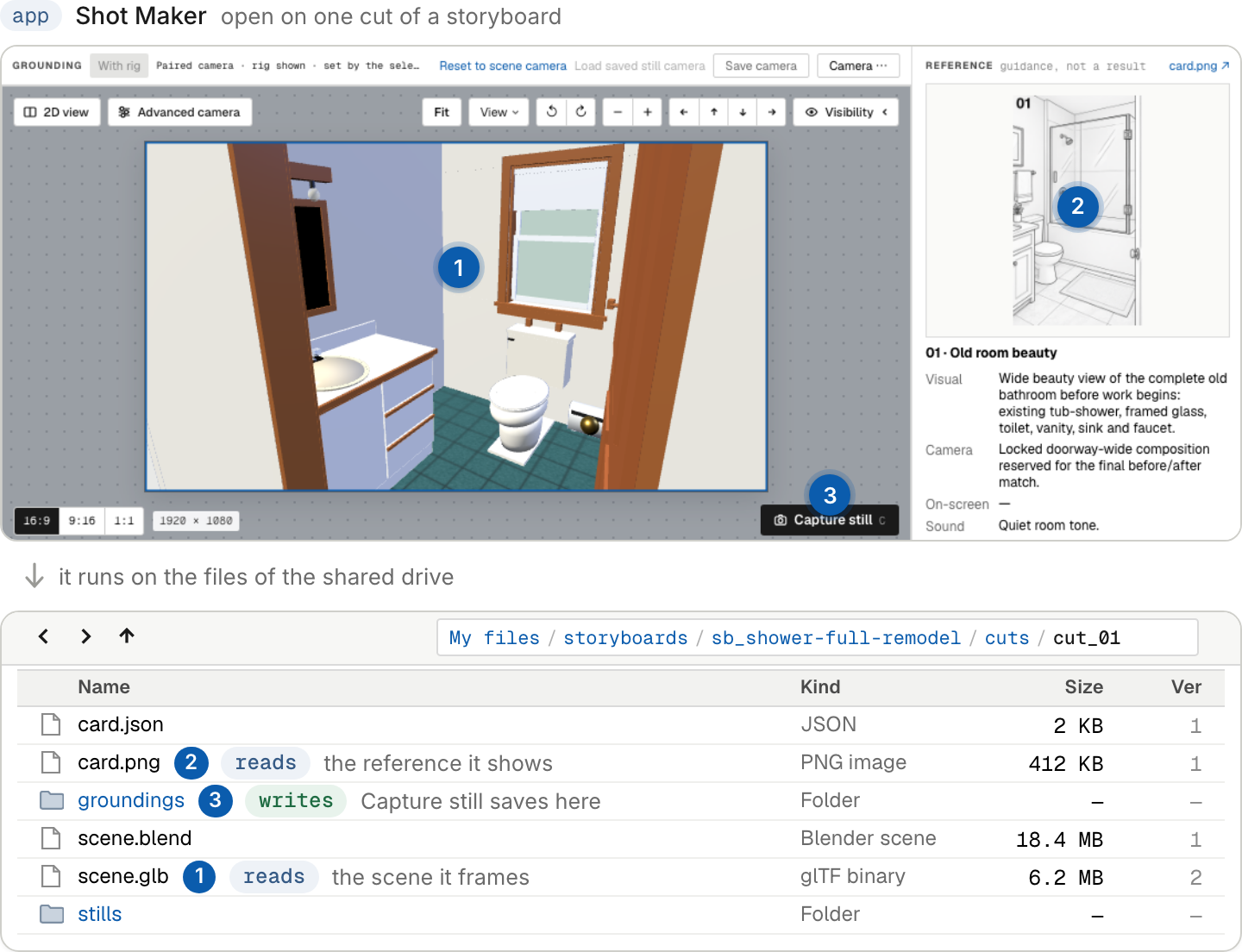
Because every app reads and writes the same underlying workspace, tools naturally work together. An image generated by one app, an edit saved from your Mac, and a file organized by an agent all land in the same folders with full version history.
Opening and using apps
- Open an app from the File Browser on a matching folder or file. The app opens inside the workspace on whichever branch you are currently viewing.
- Every save an app makes creates a normal file version on that branch, so you can preview, compare, or restore earlier versions at any time.
- Each app can only read and write the folders declared in its permissions. You can inspect what an app is allowed to touch before using it (see App permissions).
Background jobs and Tasks
When an app starts heavy or slow work, such as rendering a scene, resizing assets, or calling an image model, Folio runs it as a background job. You can close the app or browser tab while it runs and follow progress or inspect outputs in the Tasks panel (see Tasks and jobs).
Creating your own apps
Because app code lives in your workspace alongside your files, you do not need to host a server or manage a separate database to add a custom tool for your team. Think of Folio apps like Codex or Claude artifacts, except instead of static pages you have a runtime for your apps. It feels almost like running an app on your own computer, except it runs in your browser and all the data is saved in the cloud, so you do not have to worry about closing your app mid-task or saving and syncing files anywhere.
- Want to build one fast with an agent? Follow Create an app to have Claude Code or Codex build and test an app on a branch, then merge it to
mainfor your team. - Writing code directly (or pointing an agent at the full spec)? Jump to Technical Spec in the sidebar: Data model, Porting apps, Example app: Sketch, SDK reference, and The manifest.