

A filesystem that works like a database
Everyone understands how to organize work in a filesystem, and coding agents are naturally effective at navigating folders and files. Databases, on the other hand, give applications schemas, relationships, validation, and structured retrieval.
Folio bridges the two: it is a filesystem that can be accessed like a database. You do not have to design a schema up front. You can start with ordinary folders and progressively layer on a data model, entity metadata, and structured retrieval as your workflow grows.
Crawl: Start with ordinary files and folders
You can store any files in any folder structure on the Folio shared drive with zero schema setup. People and agents work with them using ordinary filesystem tools, and apps read and write them through the Frontend SDK (useDirectory, useFile, useContent) with versioning and branches built in automatically.
An app can even keep its own private data files right on the drive, so you do not need to stand up a separate storage service or database just to get started.
Walk: Layer a data model onto your folders
Once multiple apps and agents collaborate on the same workflow, plain folders alone are not enough to enforce structure. Every structured workflow has a data model that looks something like this:
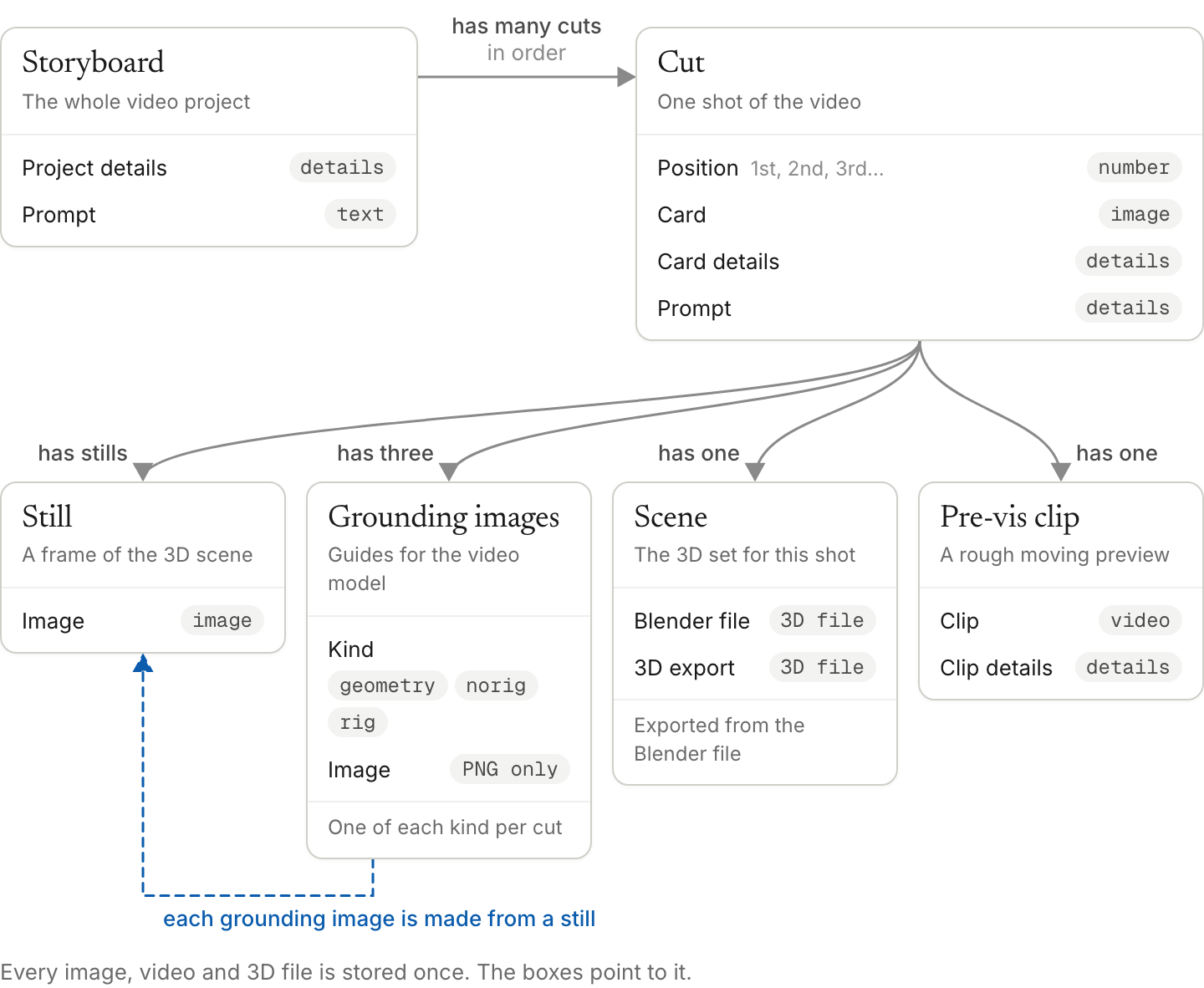
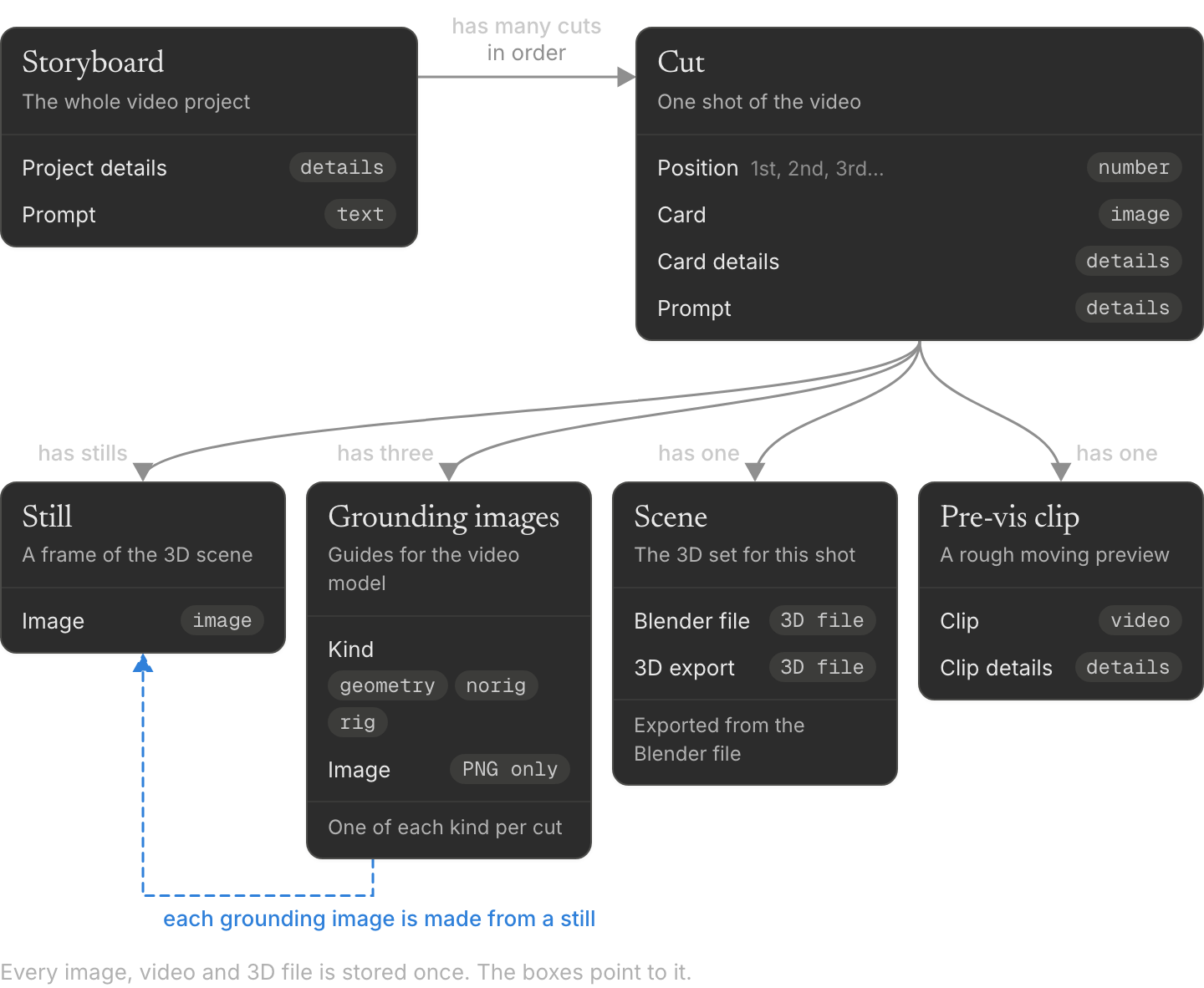
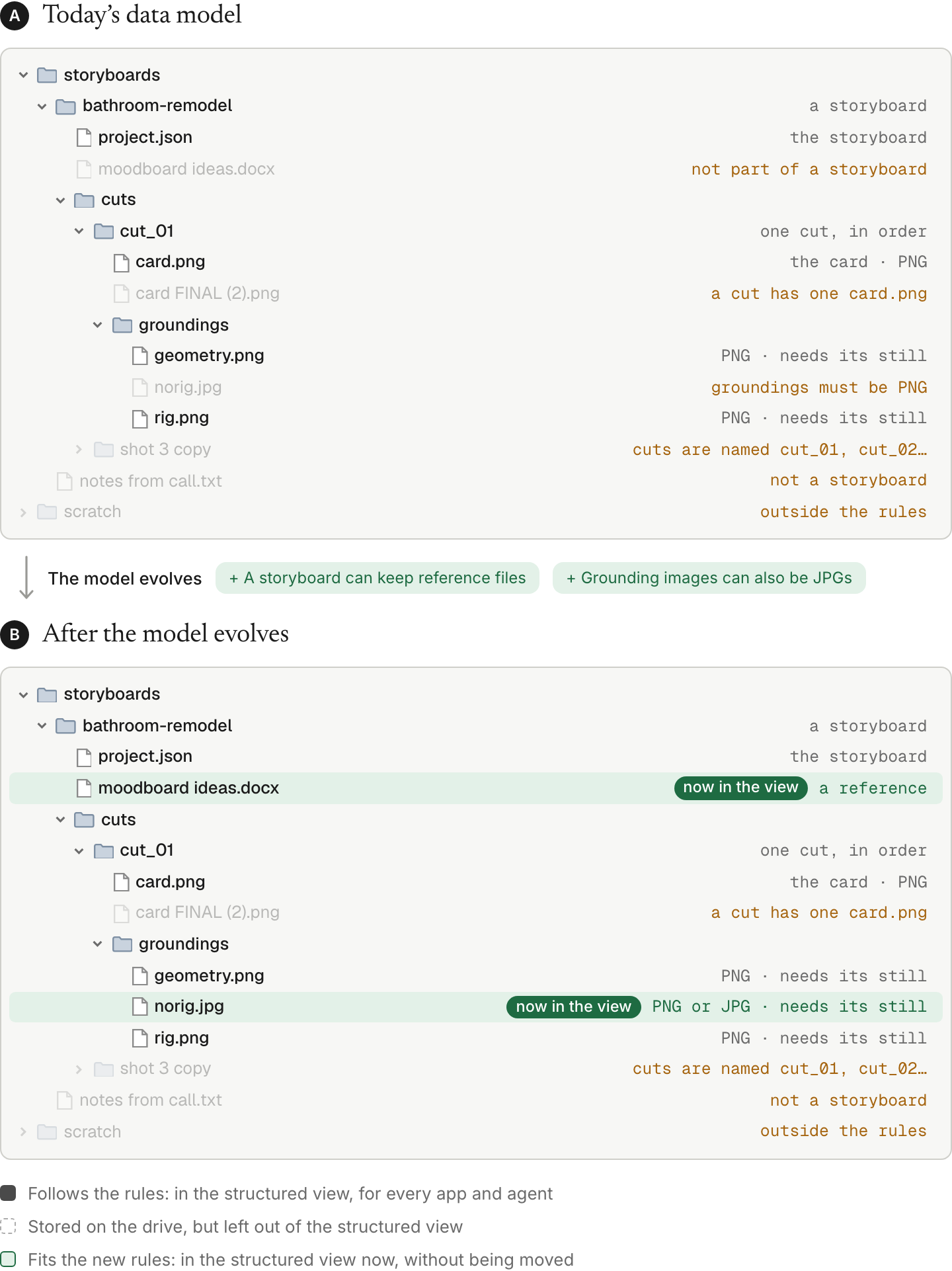
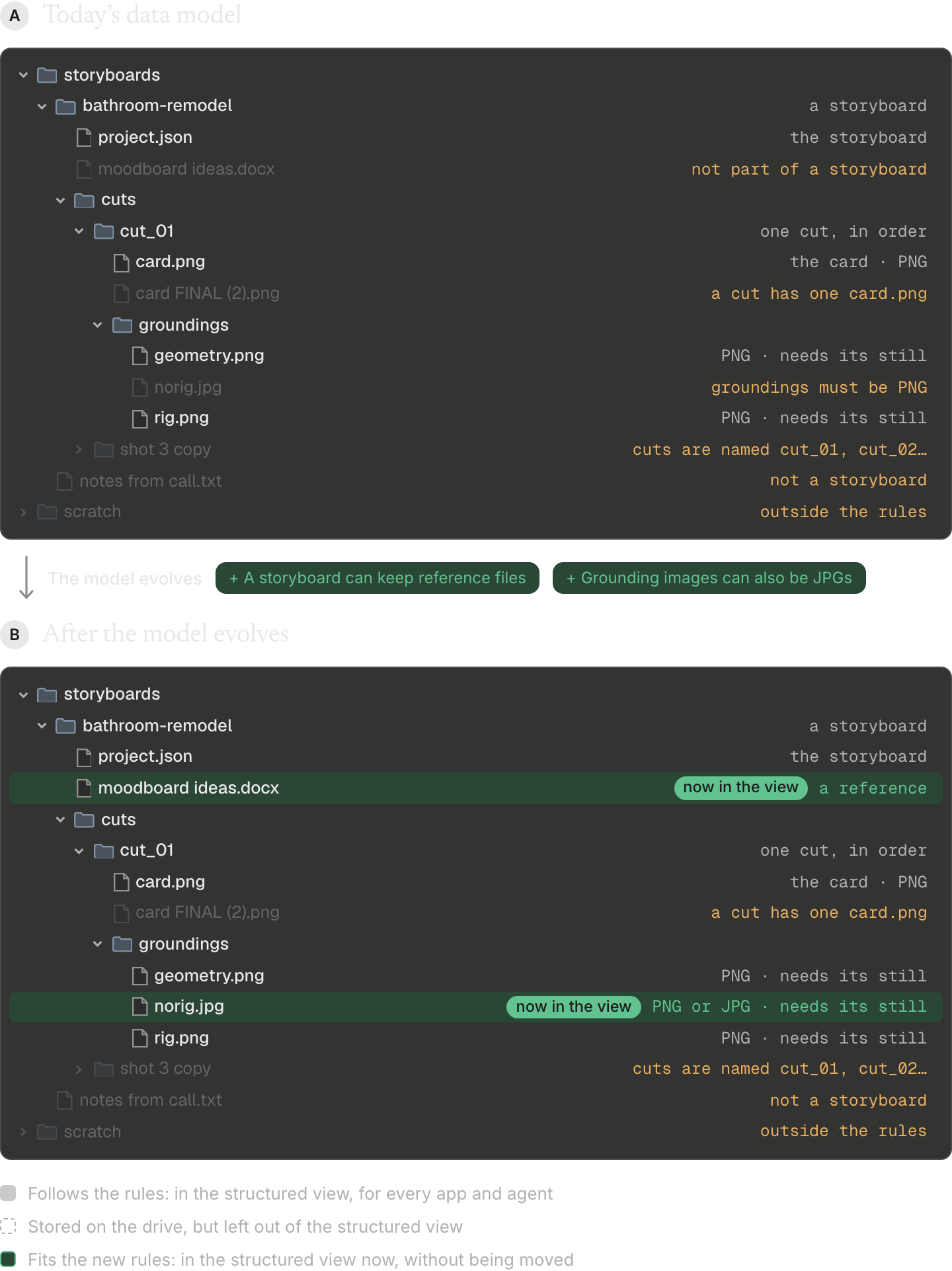
In Folio, you can define and evolve this data model directly for your workspace by binding entity types to folder paths and declaring typed file slots, relationships, and validation rules. Conceptually, it expresses the same structure as a relational database schema, but lives directly as folders on the drive:
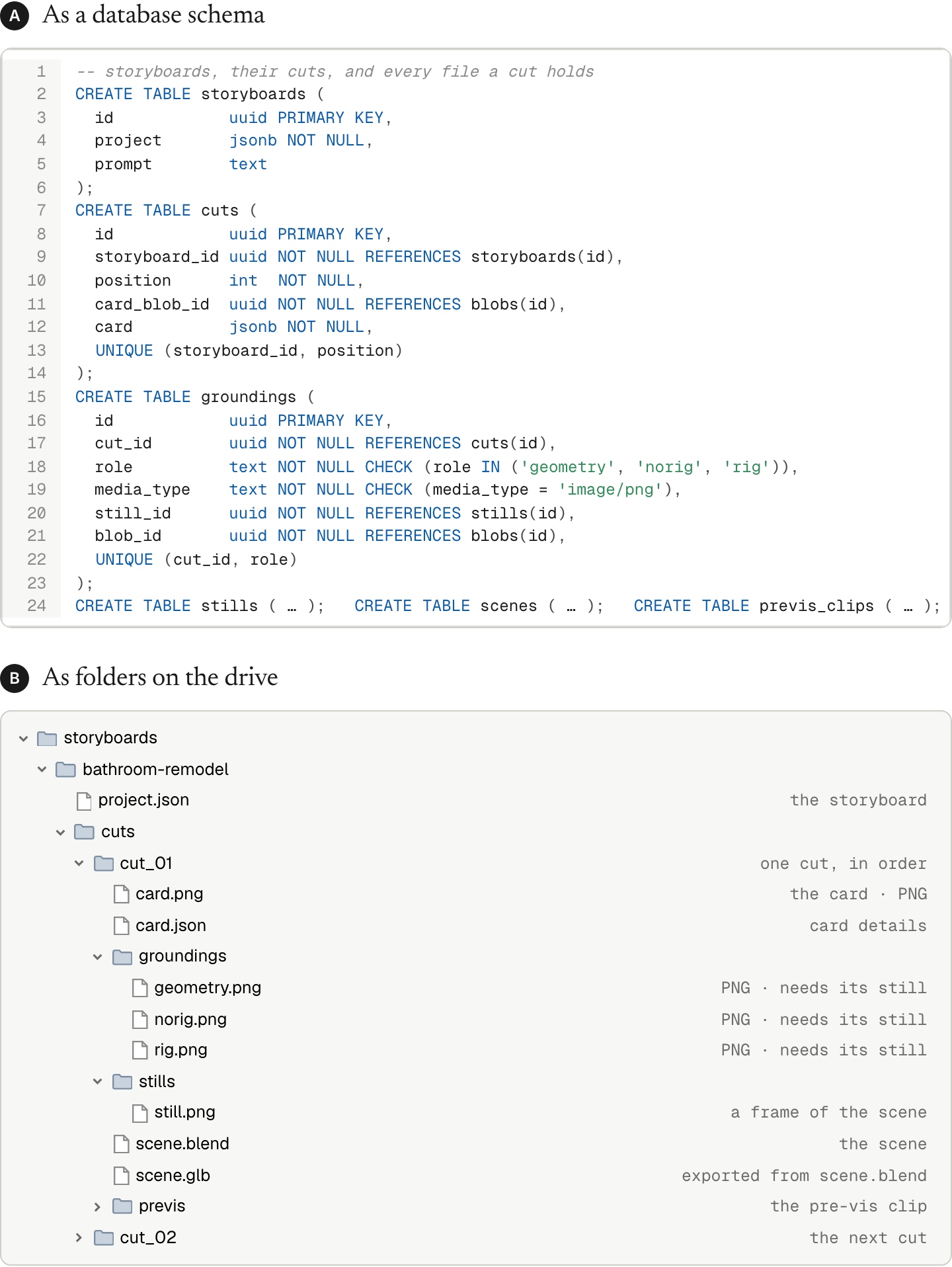
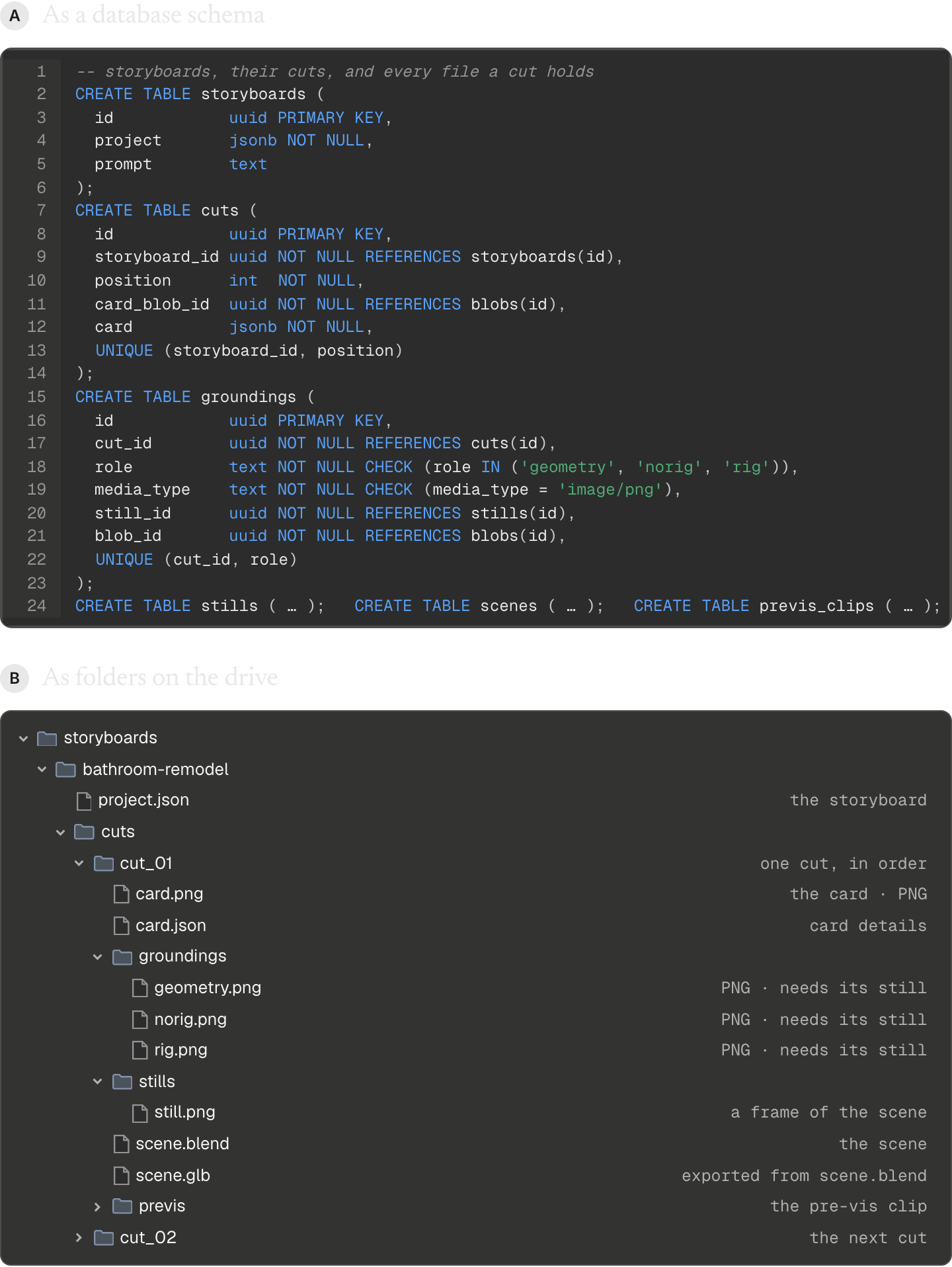
Clients can still store files anywhere on the drive, but a file only appears inside the structured model if it matches the declared hierarchy and slot rules. That keeps a canonical, validated view for every app and agent sharing the workspace.
Files outside the model
Data that does not conform to the model is never rejected or lost. It remains persisted on the filesystem and is simply excluded from the structured view.
When your workflow changes, you can evolve the data model so previously excluded files become part of the structured view in place, without moving or rewriting them:
Run: Entity metadata and structured retrieval
Metadata
Built-in file properties (identity, versions, author, timestamps, and job provenance) as well as custom metadata fields are stored in Folio's entity metadata, indexed by identity rather than path. Clients can read and store structured metadata directly through entity metadata (via entities in @planar/frontend-sdk) without having to scatter ad-hoc .json sidecar files across directories. When you do want human-editable or agent-editable structured files (like project.json or card.json above), you can still declare them as regular file slots.
Querying the drive like a database
Once your folders, slots, and entity metadata follow a data model, apps, agents, and people can retrieve exactly the records and files they need across the workspace.
The SQL example below is conceptual and illustrative to show the access pattern. Folio does not use a literal SQL query language; instead, it delivers these database-like queries through live SDK subscriptions and typed domain lookups:
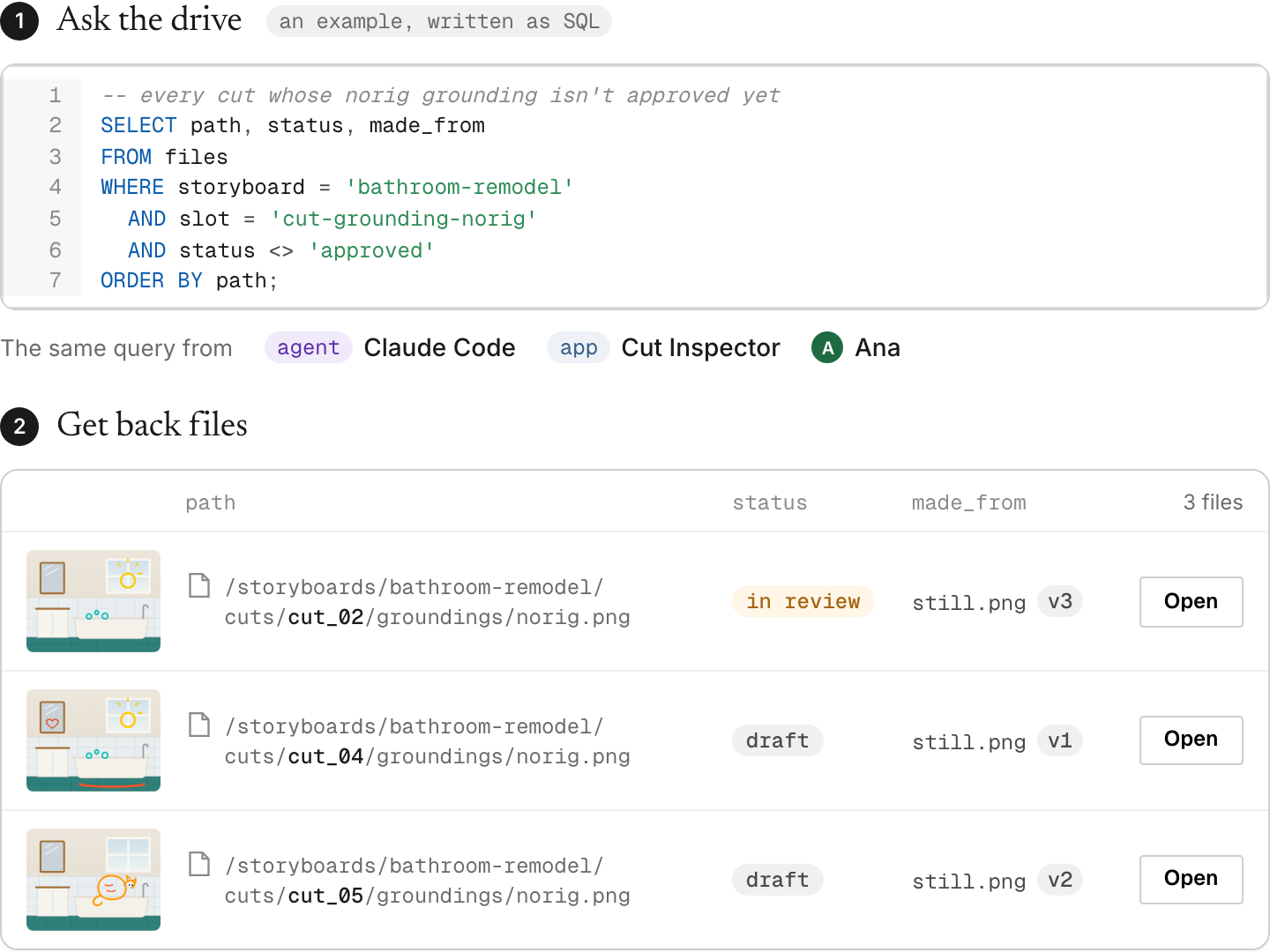
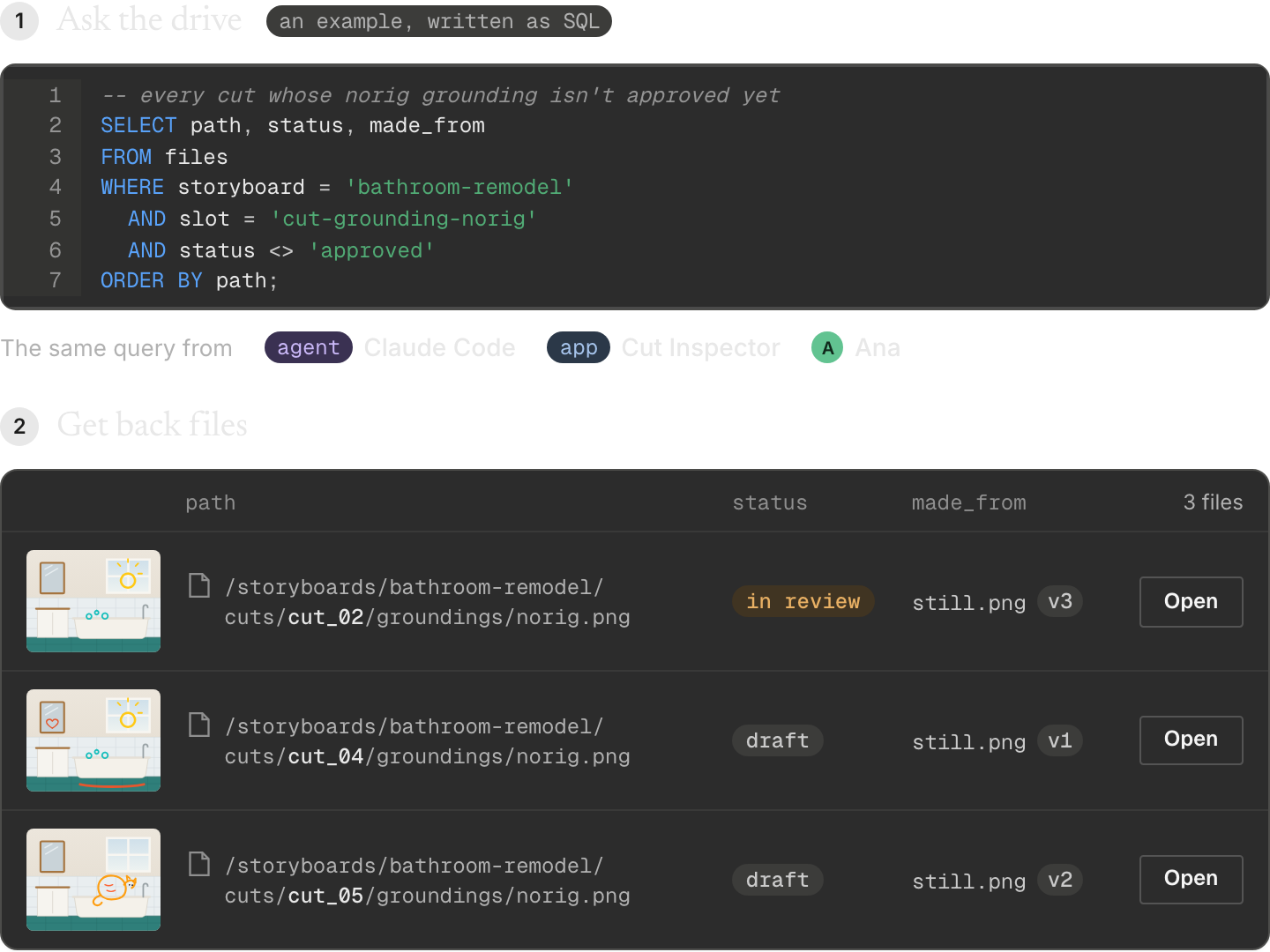
In practice, clients access the structured model in the way that fits them best:
- Apps subscribe to live hierarchy and entity metadata watches through
@planar/frontend-sdkand the generated Domain SDK (useDomainChildren,useDomainFiles,useDomainFile,useDomainSnapshot), keeping structured metadata reactive in memory while file bytes stream directly on demand. - Agents and people work over the exact same canonical folder paths using ordinary filesystem tools, scripts, domain skills, and the File Browser.
The result is a shared workspace where multiple applications and agents work with the same canonical data without maintaining isolated databases or custom integration protocols.