
Agent sessions
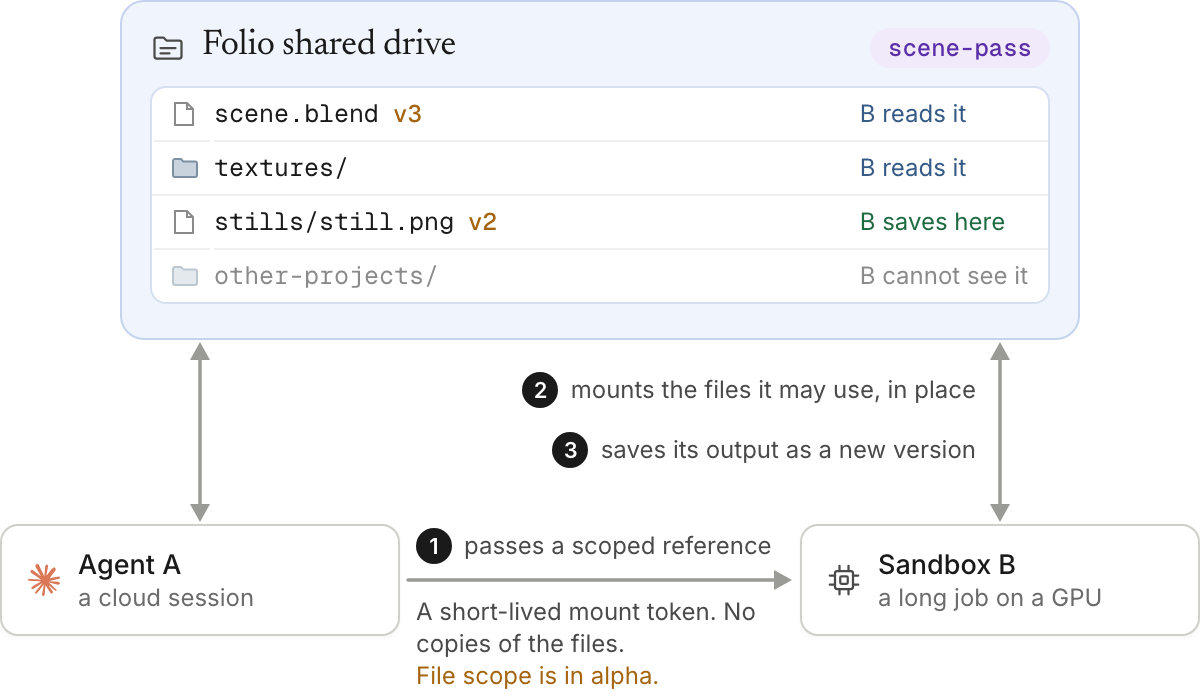
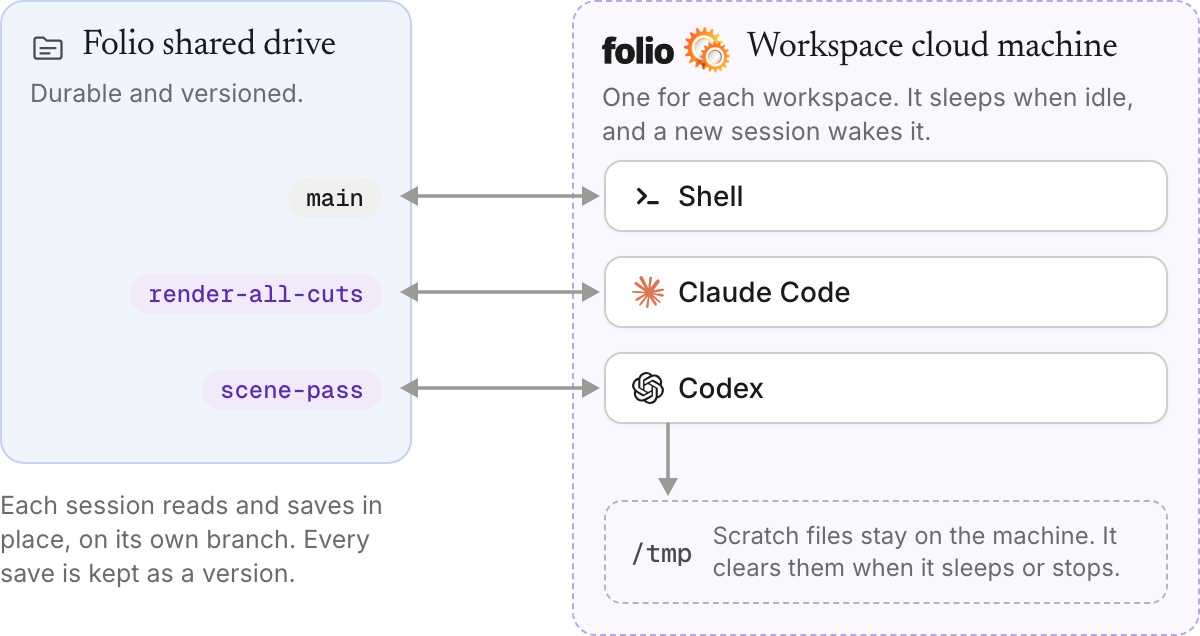
Folio separates storage from compute. Your files live durably on the shared drive, while compute targets attach to that drive on demand, run agentic harnesses or tools, save their outputs back to the drive, and sleep or shut off when idle without losing any work.
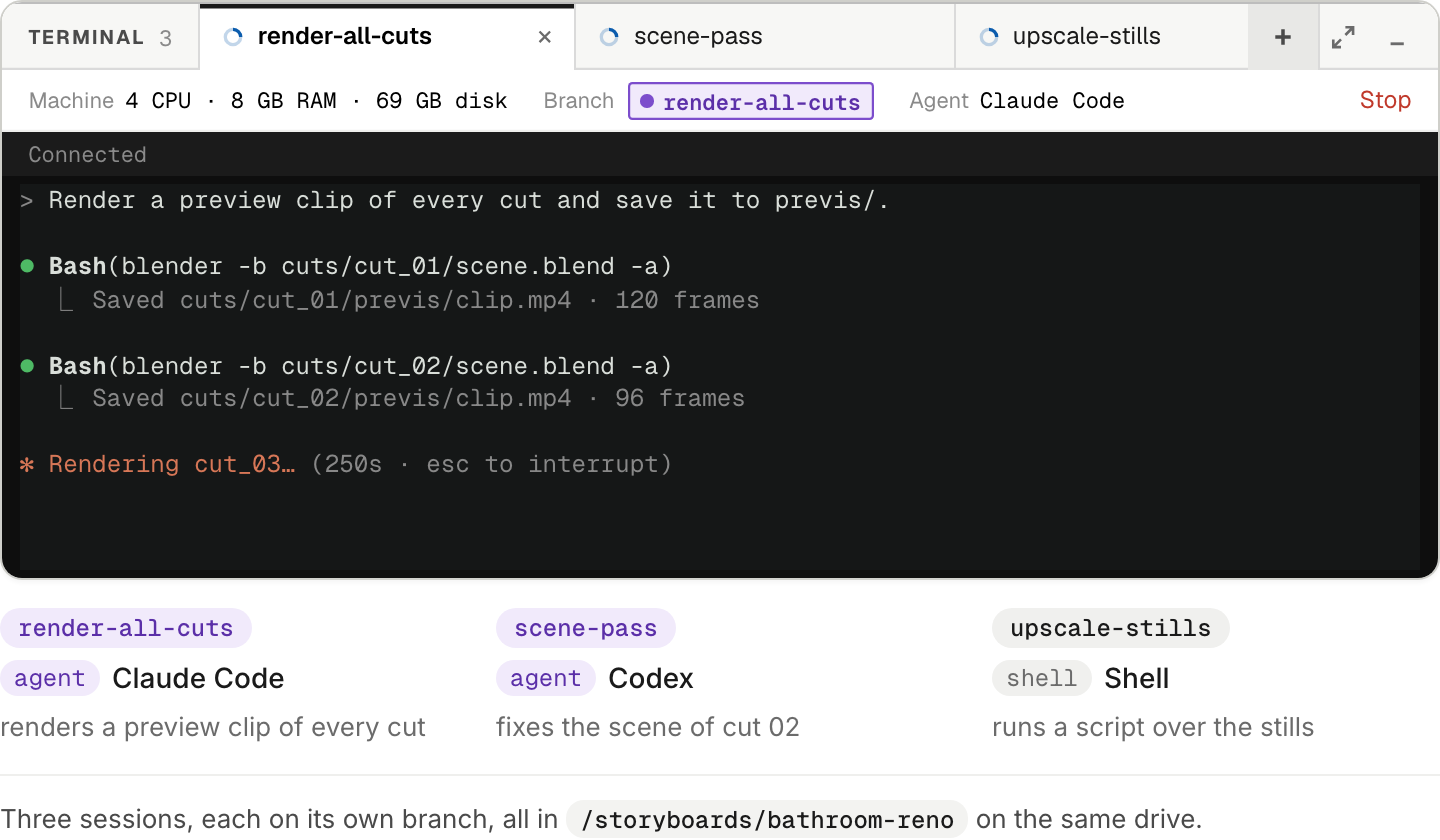
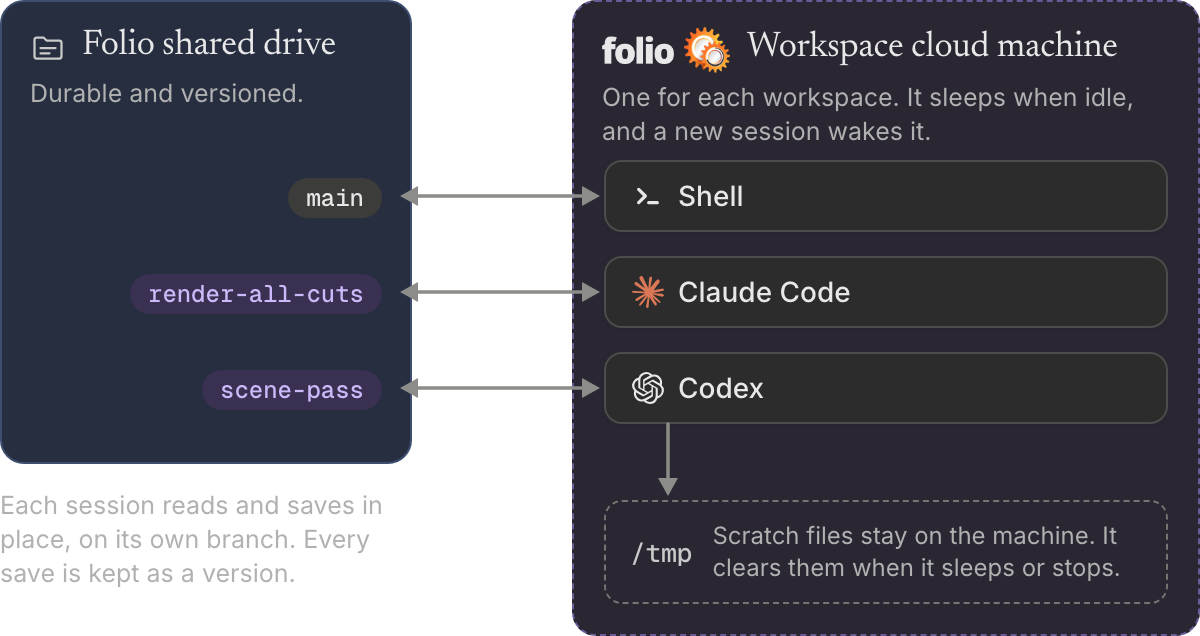
Each workspace includes a cloud machine that can run multiple sessions in parallel, mounting the same shared drive at different branches as needed. For example, you can run Claude Code, Codex, and a shell script at the same time on separate branches of the same project:
Starting a session
Open Start agent session to launch a new terminal session attached to your workspace:
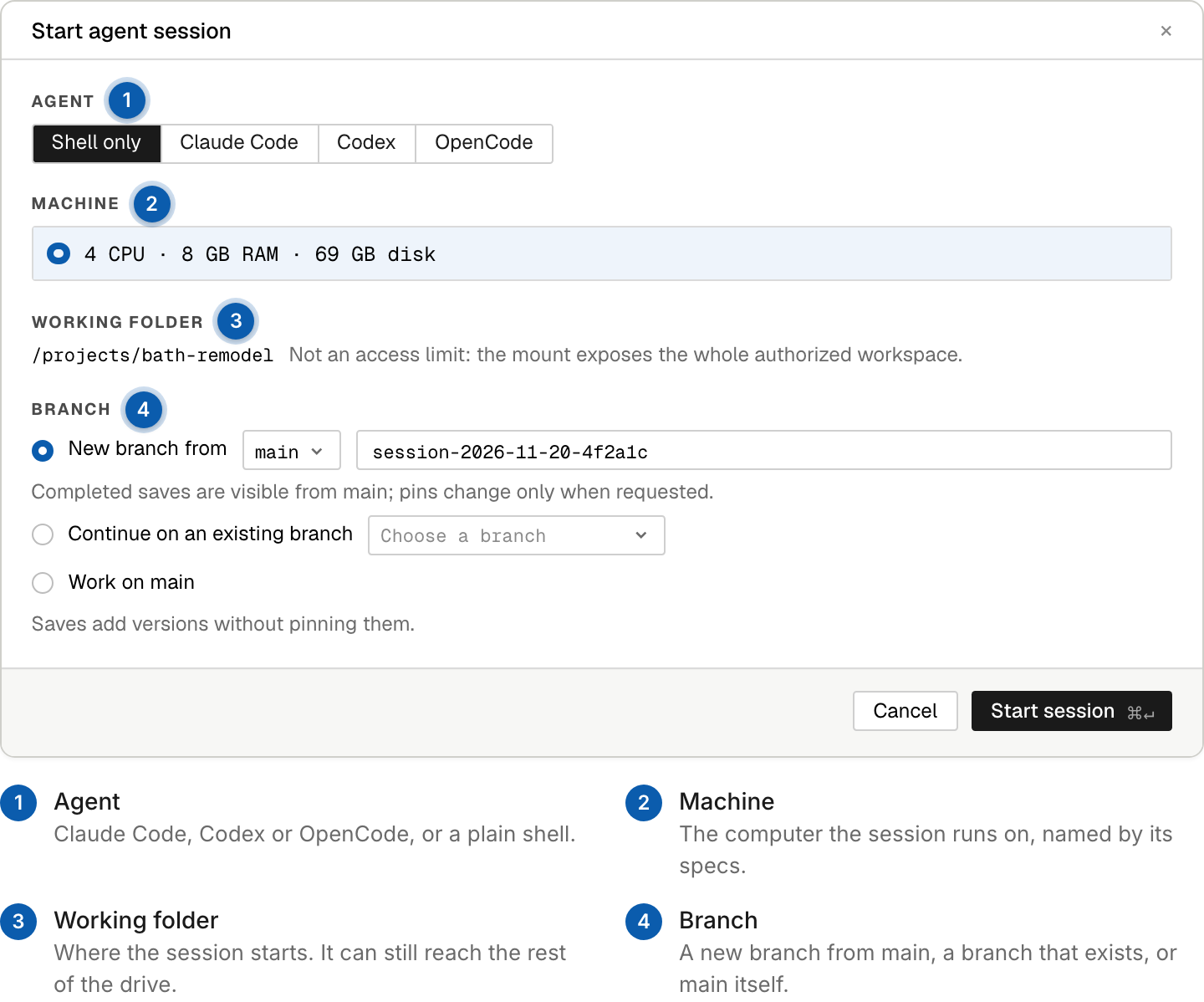
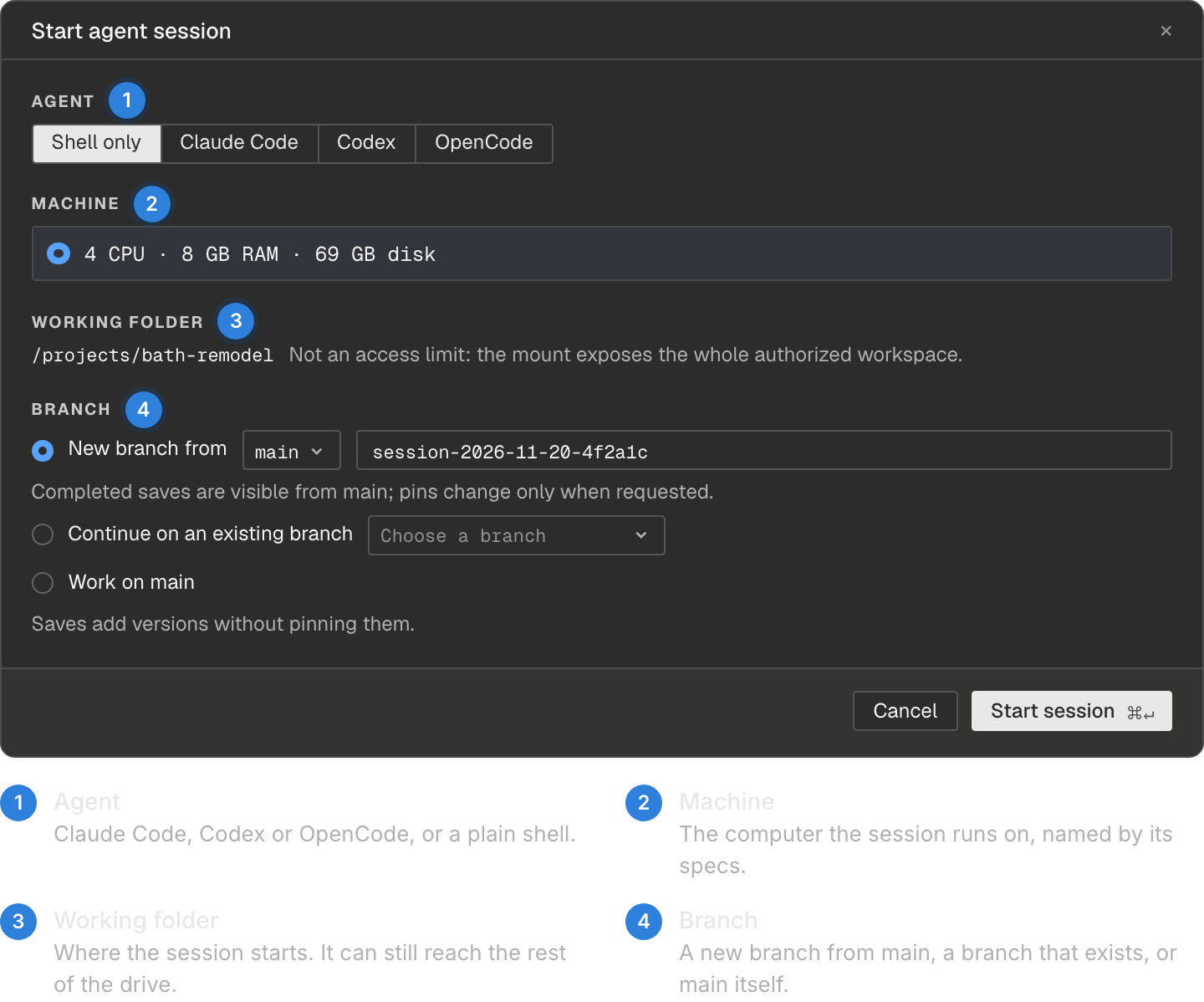
- Agent: Pick Shell only (the default), Claude Code, Codex, or OpenCode. API keys configured in workspace Keys are injected into the session automatically.
- Machine: Your workspace's cloud machine is shown by its hardware specs (for example,
4 CPU · 8 GB RAM · 69 GB disk). One cloud machine supports multiple concurrent sessions. Machines are billed per machine per month, not metered by usage. - Working folder: The folder inside the mounted drive where the session starts.
- Branch: Start a new branch from
main, continue an existing open branch, or work directly onmain. Each session gets its own branch-bound mount. On a branch, saves become the branch's current version automatically; onmain, saves add versions to history without movingmain's current version until you accept them (see Pinning versions on mounts and sessions).
Session lifecycle and sleeping machines
- Keep working after closing the browser: Closing your browser tab does not stop a running session, and active sessions survive workspace restarts. Reopening Folio reconnects you to the running session tabs.
- Waking and sleeping: When no sessions are running, a cloud machine can go to sleep automatically. Starting a new session wakes it on demand.
- Stopping a session: Click Stop in the session bar (or exit the agent or shell) to end the session and unmount its branch.
Filesystem scope, scratch files, and chained agents
-
Mounted drive vs
/tmp: Agents work directly inside the mounted workspace filesystem, so every file saved there is persisted, versioned, and visible across Folio. For temporary artifacts or intermediate build files that do not need long-term persistence, a session can write to/tmp(outside the mount), which stays local to the machine and is not persisted when the machine stops or resets. -
Workspace scope: Today, a session's mount exposes the entire authorized workspace on its chosen branch; the working folder sets where the session starts, not an access boundary.
-
Chained agentic workflows: Separating storage from compute also makes multi-step agent handoffs clean. When one agent needs to kick off a long-running process on another sandbox, it does not need to copy files back and forth like email attachments. Instead, Folio's permission model is designed around passing a narrowed reference to the shared drive scoped to just the files that process needs. See Scoped references.